


 Get on Android




















Install Grayjay
Download for Windows, macOS, Linux, or Android (APK). No app stores.
Grayjay is a cross-platform video client that aggregates your subscriptions from multiple platforms into one chronological feed.

Scan this QR to download Grayjay on your mobile device
240,000+ downloads · 4 platforms · 20+ sources · Source code available
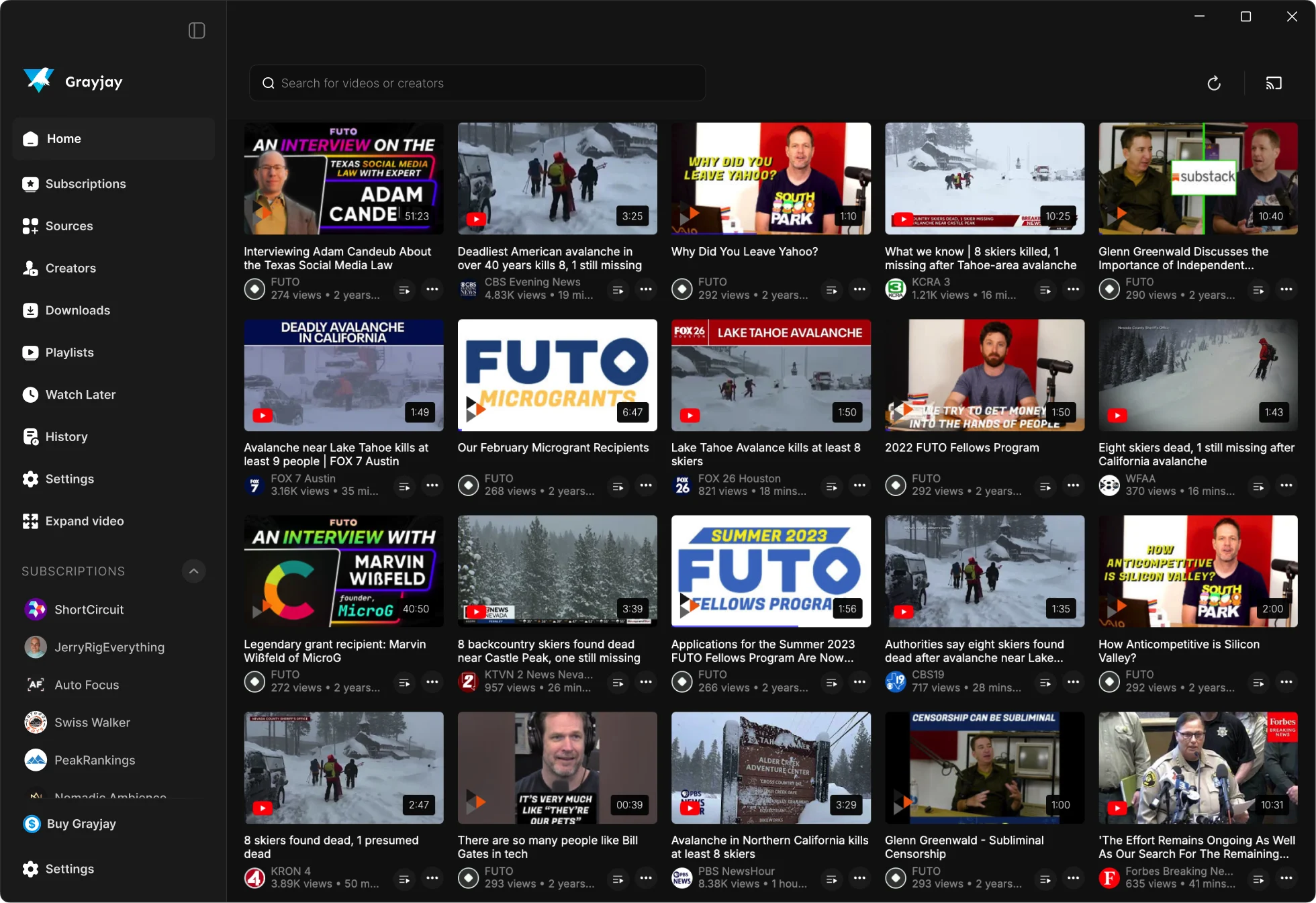
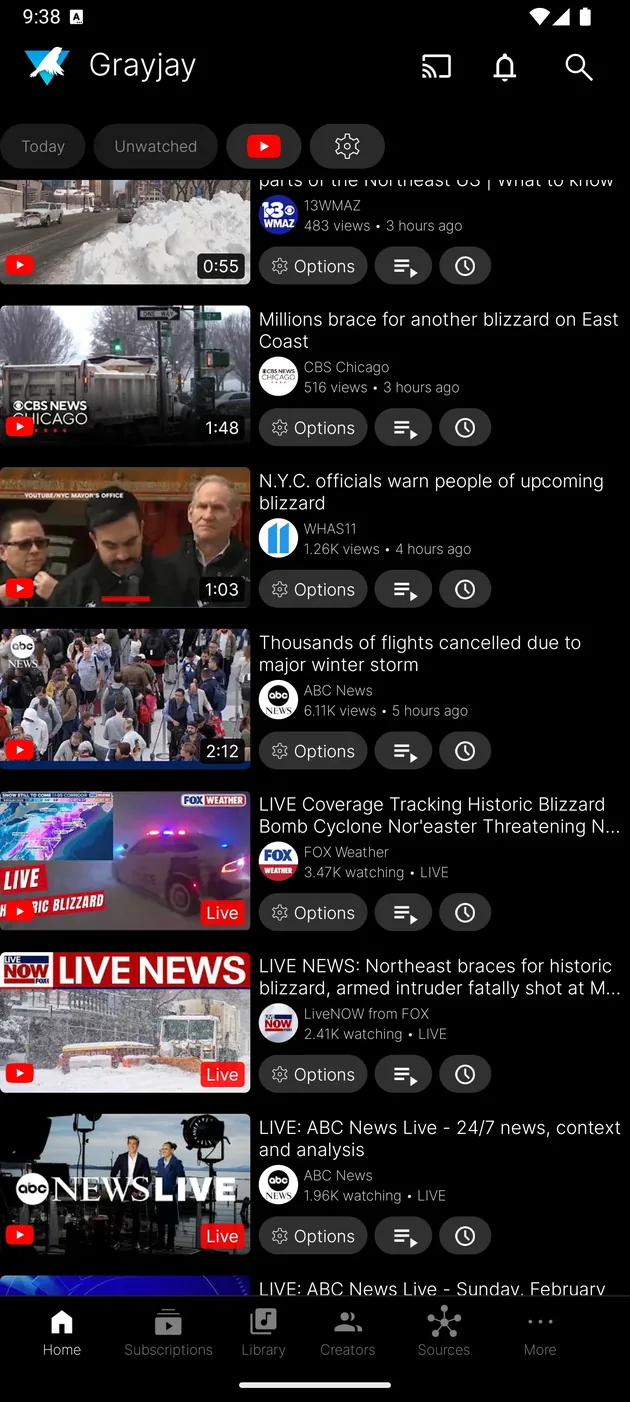
Add platforms through plugins and access content without being locked into a single ecosystem.
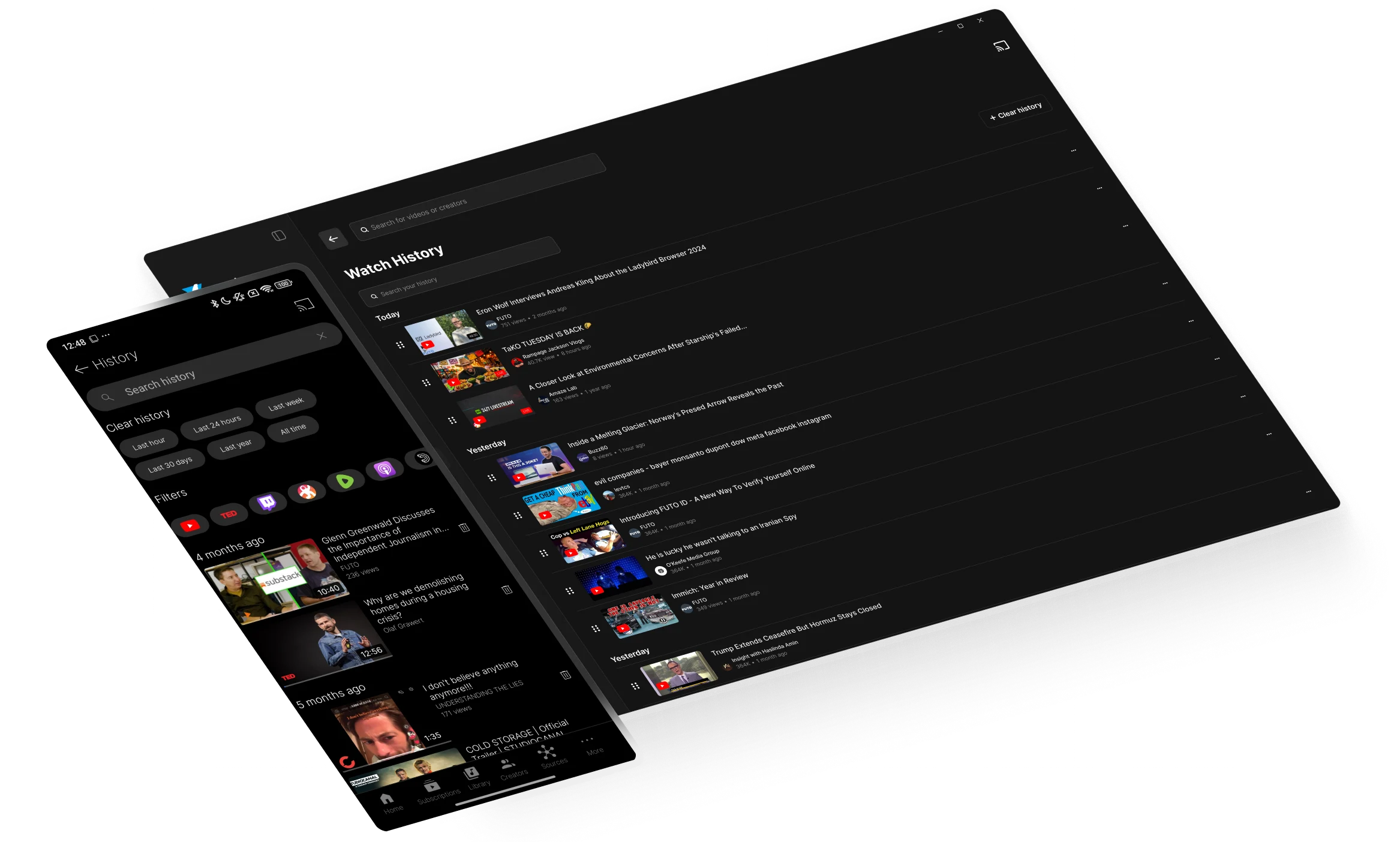
Subscriptions, watch history, and settings are stored on your device. Not on our servers. Not tied to an account.
Grayjay sends one anonymous packet on startup: app version, OS version, device type. Used for crash diagnostics. Not linked to your identity or viewing behavior. Code is auditable.
Install Grayjay, add the platforms you use, and start watching. No account required.
Download for Windows, macOS, Linux, or Android (APK). No app stores.
Install plugins for YouTube, Twitch, Patreon, and others.
Bring your subscriptions in one click.
Follow creators across platforms, control your sources, and watch without an algorithm deciding for you.
See videos, streams, podcasts, and posts from every source in one chronological feed. Instead of five apps and five feeds, Grayjay gives you one place to follow the people you care about.
Choose which sources show up, tune plugins, and keep trusted feeds close without handing the order of your day to a recommendation engine.
Catch active streams from supported platforms in the same place as everything else, with live badges surfaced beside the rest of your subscriptions.
Save videos for later and keep playback moving when your connection does not. Downloads sit alongside the rest of your library.
Keep watch history and progress on your device, so your viewing record stays local and useful without needing every platform to follow you around.
Real installs across desktop and mobile. Not a concept. Not a demo.
Most clients lock you into a single ecosystem. Grayjay does not.
| Grayjay | YouTube | NewPipe | ReVanced | |
|---|---|---|---|---|
| Multi-platform video YouTube, Twitch, Rumble, and more | — | Limited | — | |
| Unified cross-platform feed Chronological, algorithm-free | — | — | — | |
| Cross-platform subscriptions One list for all your creators | — | — | — | |
| User-installable plugins Extend support to any platform | — | — | Patches only | |
| Desktop + Mobile Windows, macOS, Linux, Android | — | — | ||
| Background play Audio with screen off | Premium only | |||
| Offline downloads Save videos for later | Premium only | — | ||
| No client-side telemetry Your usage data stays yours | — | Partial | ||
| No platform account required Browse without signing in | — | — | ||
| Source available Inspect and audit the code | — |
FCast is an open casting protocol built by FUTO. It streams directly from your device to your TV — no Google account, no Apple ID, no middleman.
Cast directly from Grayjay to your TV. No Google account. No Apple ID. Install FCast Receiver once and you're done.
Works with Android TV, desktop, and any HDMI-connected screen. No platform accounts. Fewer limitations than Chromecast or AirPlay.
Grayjay is part of a broader effort to give users control over their software and their data.
We used to control our computers. Now our computers are used to control us. Grayjay exists to push back against that.
Full codebase published and reviewable.
Maintained by community members in cooperation with the Grayjay team.
Revenue is an optional one-time purchase. The app works identically without paying. You are not the product.
One anonymous startup packet. No behavioral tracking.
All bugs and feature requests are public.
We will never sell to a megacorporation. We will never hide what your software is doing.
Grayjay is a video player and source aggregator built by FUTO.
You install sources for the platforms you use, including YouTube, Twitch, Rumble, Odysee, Patreon, Nebula, Kick, PeerTube, SoundCloud, Bilibili, and others. Grayjay combines them into one app.
Your subscriptions, playlists, watch history, and downloads stay on your device.
Grayjay does not host or distribute content. It connects directly to the platforms you choose.
No.
Grayjay does not want to own the creators, the audience, the algorithm, the ads, and the subscription graph.
It is an app for following creators across sources without giving one company control over everything you watch.
No.
Grayjay is not trying to become another YouTube. YouTube is one source. So are Twitch, Rumble, Odysee, Patreon, Nebula, Kick, PeerTube, SoundCloud, Bilibili, and others.
The point is not to replace one platform with another platform.
The point is to stop letting one platform own your subscriptions, your feed, and your viewing habits.
No.
A basic aggregator collects links. Grayjay does more than that.
Grayjay keeps your subscriptions, playlists, watch history, playback, downloads, casting, and source integrations inside one app.
The platforms become sources. They do not get to control the whole experience.
Grayjay works whether you pay or not.
There is no paywall, no feature gating, and no trial period. Grayjay has a one-time license fee.
If you choose to pay, you are funding development directly instead of through ads, tracking, or platform deals.
The app should answer to users, not advertisers.
Grayjay's source code is publicly available and auditable on GitLab:
https://gitlab.futo.org/videostreaming/grayjay
You can read the code, compile it yourself, and verify how the app works.
Grayjay uses FUTO's Source First license. That is not the same as GPL, MIT, Apache, or another traditional open-source license. You can review, compile, and distribute the code non-commercially, but you cannot redistribute it commercially.
That restriction is intentional. It prevents others from repackaging FUTO's work and selling it while FUTO funds the development.
The code is available for inspection. The license is restrictive by design. We would rather say that clearly than pretend it is traditional open source.
Grayjay keeps your playlists, subscriptions, settings, watch history, and downloaded videos on your device.
Those items are not sent to FUTO servers, and FUTO does not access or store them.
Grayjay sends a minimal telemetry packet at startup:
The identifier is not linked to your identity or device. This telemetry helps FUTO understand crash rates and prioritize platform support.
If you purchase a license, FUTO collects your country for tax calculation. For the United States and Canada, postal code may also be collected for tax calculation.
Not if you use it to watch YouTube.
Grayjay can reduce your dependency on YouTube's app, website, feed, and recommendation system. But YouTube videos still come from YouTube. Google may still see traffic when you access YouTube content.
Grayjay gives you more control. It does not make impossible privacy promises.
Grayjay is not an ad blocker.
It also does not intentionally show platform ads as a creator-support feature.
In some cases, ads may not appear because content is loaded through a source plugin instead of the platform's normal app or website experience. That is a side effect of how access works, not a feature Grayjay promises or markets.
Grayjay cannot control how third-party platforms enforce their own rules.
If you log into a platform through a source plugin, that platform still controls the account.
If that worries you, use Grayjay without logging in where possible, or use a separate account for sources that require login.
No app should promise safety it does not control.
Android bugs:
https://github.com/futo-org/grayjay-android/issues
Desktop bugs:
https://github.com/futo-org/Grayjay.Desktop/issues
Community chat:
Email:
Grayjay is built and distributed by FUTO.
Download it only from the official Grayjay website or official FUTO sources. Do not install APKs or builds from random mirrors.
If you want to inspect the code yourself, Grayjay's source is available here:
Grayjay is available on:
FUTO F-Droid repository:
https://app.futo.org/fdroid/repo/
Linux Flatpak:
Not in the foreseeable future.
Apple's App Store policies and the technical constraints of iOS make it impractical to build the kind of plugin-based, platform-agnostic app that Grayjay is.
FUTO is focused on making the Android and desktop experiences better.
Desktop and Android are separate apps.
They share the same goal: give users control over how they follow and watch creators. But they are not identical builds, and some features may arrive on one platform before another.
Desktop is not Android stretched onto a bigger screen.
If you are not sure, download Universal. It works on all Android devices.
Architecture-specific builds are smaller because they only contain code for one processor type.
Most modern Android phones use arm64-v8a.
On Android, Grayjay checks for updates and prompts you automatically.
If the update fails with a generic error, download the latest APK directly from:
Then install it manually.
On desktop, the built-in updater handles updates.
If it fails, download a fresh copy from the download section on:
On Linux Flatpak, updates are managed by Flatpak. Run:
flatpak updateSources are plugins that connect Grayjay to video platforms. Each supported platform — YouTube, Twitch, Rumble, Odysee, Patreon, Nebula, Kick, PeerTube, SoundCloud, Bilibili, and more — has its own plugin. You enable the ones you want, and Grayjay aggregates content from all of them.
On mobile, you can install plugins by scanning QR codes from the plugin page or tapping "Open in Grayjay" links in your browser.
Browse plugins: Plugins page
No. You can watch content from most platforms without logging in. However, logging in enables:
Go to Sources → tap the platform → log in → tap Import Subscriptions. The same flow works for playlists via Import Playlists.
YouTube limits imports to approximately 1,000 subscriptions through its interface. If you have more, use Google Takeout to export your full subscription list, then import the file into Grayjay.
From NewPipe: Export your subscriptions as JSON from NewPipe, then open that file with Grayjay.
Your Home feed should be based on the sources and creators you follow. If something looks random, a plugin may be surfacing channel or platform content differently than you expect, or you may be seeing content from creators you forgot you followed.
Grayjay shows a chronological feed of content from creators you follow, with no algorithm involved.
When you subscribe to a creator, Grayjay stores their channel metadata locally on your device. The Subscriptions feed shows videos from all your subscribed creators in reverse-chronological order, with live and upcoming streams pinned to the top. No algorithm, no curation — just your creators' content in order.
The Subscriptions tab only appears once you have at least one subscription. If you don't see it, check under More — it may have been moved if you customized your tab order. You can manage tab visibility in Settings → Manage Tabs.
Search behavior depends on which tab you're on. From Home or Subscriptions, it searches for videos across all enabled sources. From Playlists, it searches your playlists. From Creators, it searches for channels.
You can filter results by clicking the filter button to disable specific sources. As you narrow the active sources, additional filter options may become available.
The recommended way is to use the FCast Receiver app, available for Android TV, desktop, and other devices at fcast.org. FCast supports all features.
Chromecast also works, but requires your phone to proxy streams for any content with separate video and audio tracks.
AirPlay is not currently supported in Grayjay. Supporting it reliably would require ongoing work against Apple-specific behavior and protocol differences, and the team is not maintaining that path right now. For TV playback, use FCast where supported.
Open Grayjay on both devices. Go to Sync on the device you want to send data from — a QR code will appear. Scan it with the other device, then accept the sync request.
Sync transfers subscriptions, playlists, settings, and history. Plugin-specific settings may need separate configuration per device. Be aware that resolution defaults differ between mobile and desktop — syncing may override your per-device preferences.
Sync is the most common support issue. Work through this checklist:
Internet-based relay sync is in development but not yet reliable in all configurations.
Yes, for watching content. However, disable your VPN when setting up device sync — VPNs interfere with the local network discovery that sync relies on. Once sync is established, VPN usage for general browsing works fine, though some users report intermittent issues.
If YouTube shows bot-detection prompts while using a VPN, try logging into the YouTube source or switching VPN servers.
YouTube frequently changes its streaming infrastructure, which can temporarily break third-party clients. If videos won't play:
This is often a temporary issue resolved with plugin updates. Follow @FUTOgrayjay for announcements about YouTube-related fixes.
Google sometimes flags third-party clients as automated traffic, especially when using a VPN. Logging into the YouTube source usually resolves this. If it persists, try opening the login page and clicking a few links (privacy policy, help, etc.) to satisfy the bot check, then retry.
Go to Settings → Import/Export to create a backup. You can export as a standard .zip or an encrypted .ezip (auto-backups use the encrypted format). Store these files somewhere safe — if you reinstall or move to a new device, you can restore from them.
Your license key was emailed to you when you purchased. To use the same license on desktop, you'll need the key from that email. Check Settings in the app for your current license status.
~/AppData/Grayjay (or ~/Grayjay if that directory exists from an older version)~/Grayjay → $XDG_DATA_HOME/Grayjay → ~/.local/share/Grayjay. Creates ~/Grayjay if none exist.The Flatpak on Flathub is community-maintained but built from official FUTO source code. It is a legitimate distribution channel. Note that in the Flatpak version, the built-in updater is disabled — updates are handled through Flatpak instead.
Polycentric is a decentralized social protocol that gives you ownership of your comments and ratings. Unlike platform comments — which the platform controls and can delete — Polycentric comments are owned by you and stored independently. They're censorship-resistant and platform-independent.
You can toggle between platform comments and Polycentric comments in the video player. Learn more at polycentric.io.
Yes. Grayjay plugins are written in JavaScript and are cross-compatible between Android and desktop.
If you need help, you can reach the Grayjay team and community in our public Zulip chat.
For development builds, clone Grayjay from the GitLab repository directly, not from the GitHub mirrors. The GitHub repositories are mirrors for issue tracking and may not initialize submodules correctly.
git-lfs package first.git lfs install.git clone https://gitlab.futo.org/videostreaming/grayjay.git.cd grayjay.git submodule update --init --recursive.Software that respects user control, privacy, and independence.
Grayjay is not cheap to build or maintain. We have full-time engineers working on the app and the systems around it.
FUTO's view is that software should be funded by the people who use it, not by ads, surveillance, or lock-in.
That is why we ask users to pay for Grayjay if they can.